Windows 10 & 11 · free & open source
It opens itself at 8 am. You answer once. Then it’s gone.
Every other checklist waits for you to remember it. This one starts your day, asks once, and stays shut until tomorrow — then shows you every day you actually turned up.
v1.0.3 · Windows 10 & 11, 64-bit · no account, no sign-up, works offline
Windows will warn you. Here’s why.
Daily Start isn’t code-signed yet — a certificate costs more per year than this free app earns, which is nothing. So you’ll see “Windows protected your PC”. Click More info → Run anyway.
You shouldn’t have to take my word for it, so you don’t have to: every line is on GitHub, the app makes no network calls at all, and you can build it yourself in two commands.
One day, from the app’s side
Two moments. Both times are yours.
A reminder you can dismiss ten times is a reminder you have learned to ignore. So this one only ever asks once — and the rest of the day it is not there at all.
- 06:30you turn the PC on
Nothing happens
It's before your time, so no window, no notification, no bounce in the taskbar. It waits in the notification area and says nothing.
Waiting - 08:00the time you picked
It opens, once
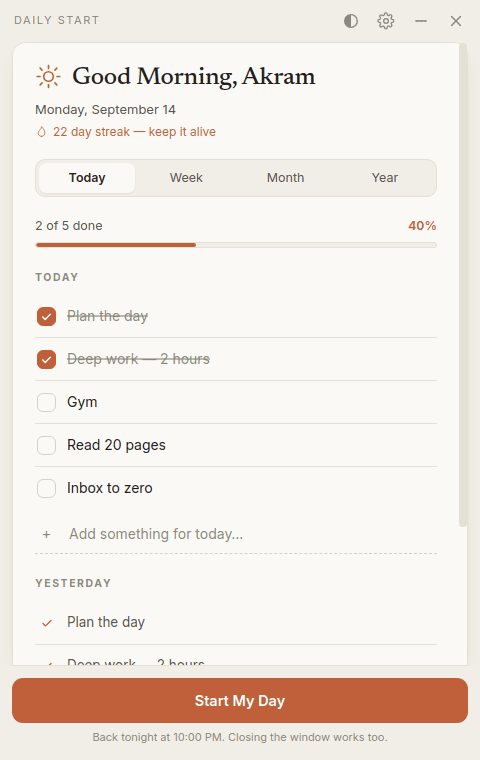
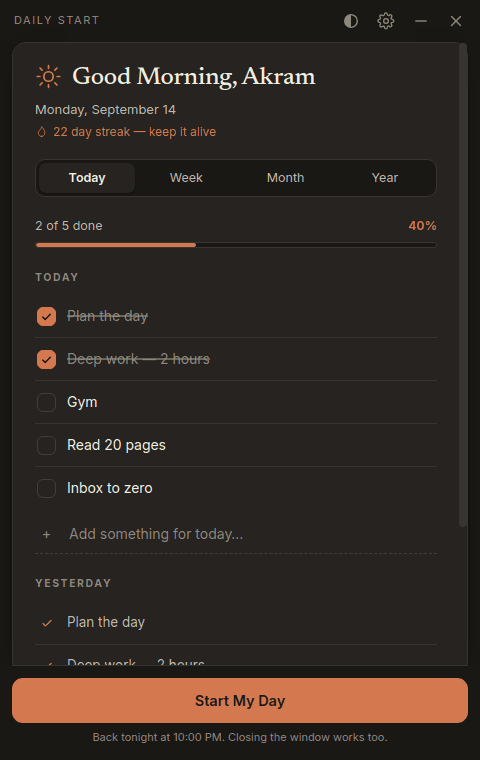
Today's list, already built from your routine — or from the plan you wrote for this particular day. Yesterday sits underneath, so you can see what slipped without going to look for it.
Your hour - 08:02two minutes later
You answer. It's gone.
Press the button, or just close the window — either one settles the day. Restart the machine five times before midnight; it stays shut.
Settled for today - 22:00optional
One look back
Turn the evening check-in on and it returns once that night, so you tick off what actually happened rather than what you meant to do at breakfast.
Waiting
The same days, four ways
Proof you turned up
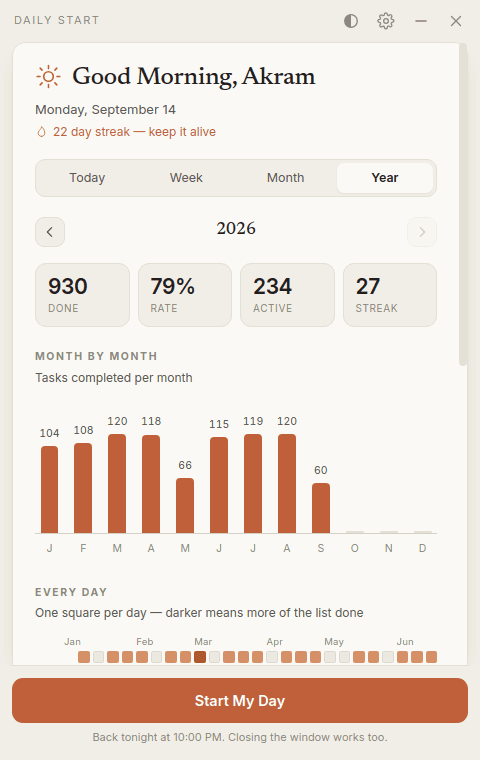
Ticking a box feels like nothing on the day. It adds up to something only when you can see it — so every period steps backwards for as far as your history goes, and the history goes back years.
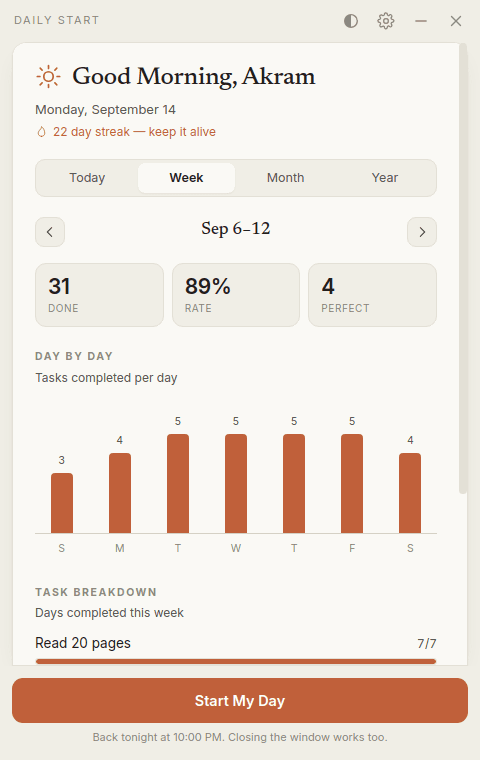
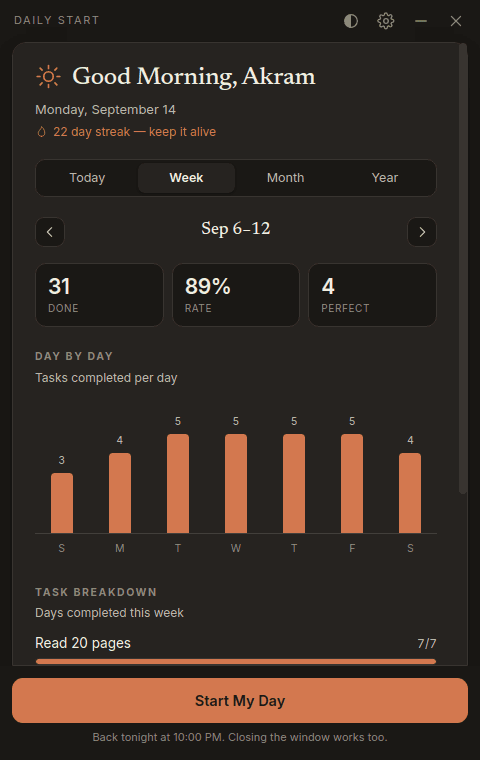
Week
One bar per day, so a bad Tuesday is obvious at a glance — plus done, completion rate and perfect days.
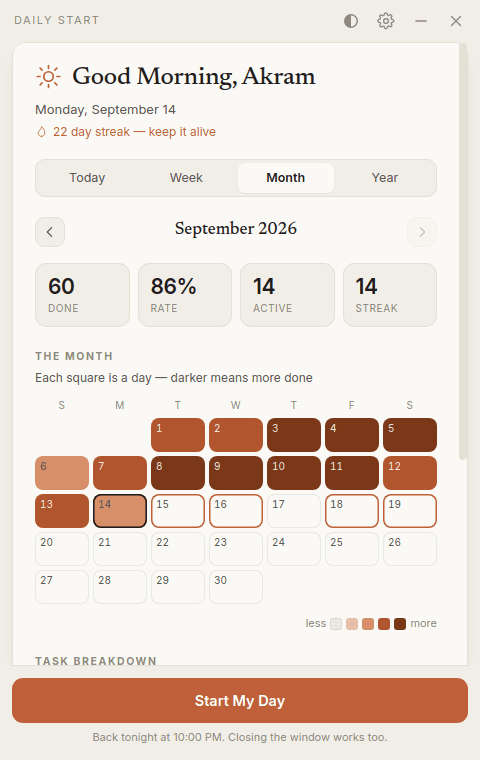
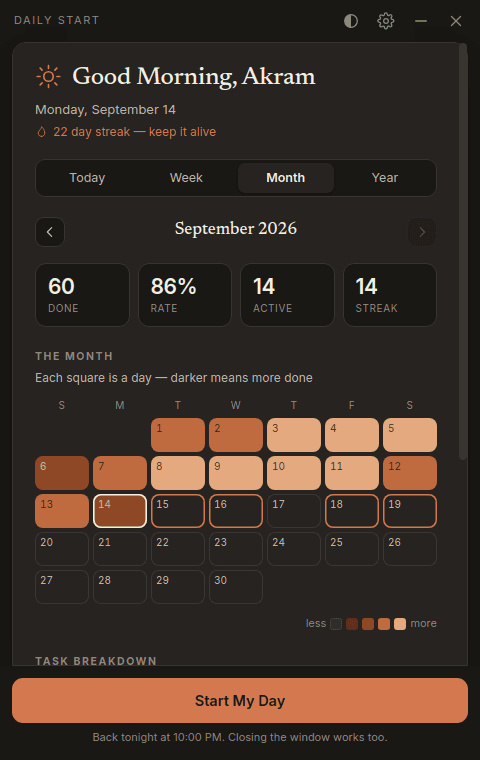
Month
The month as a real calendar. Each square is shaded by how much of that day's list you finished.
Year
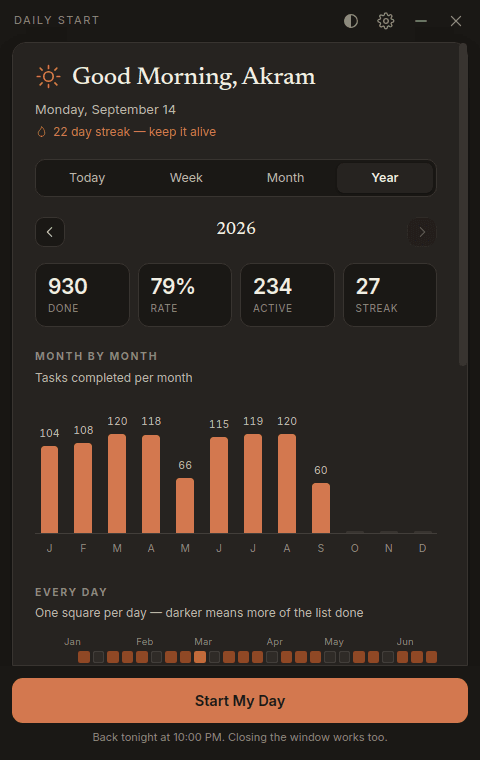
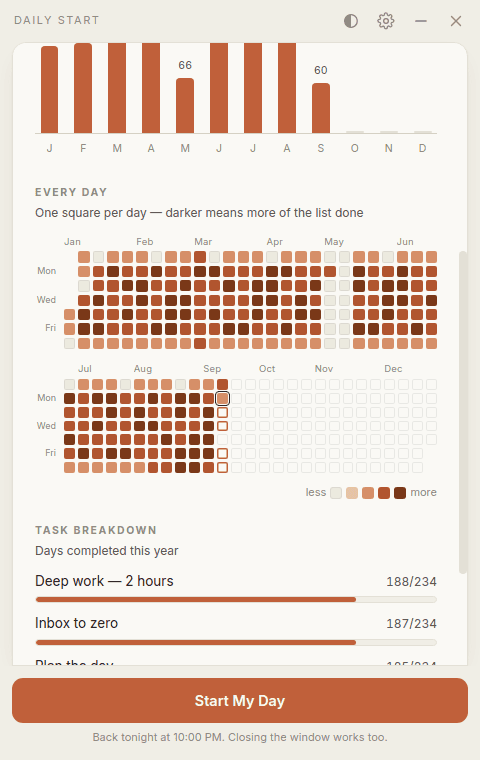
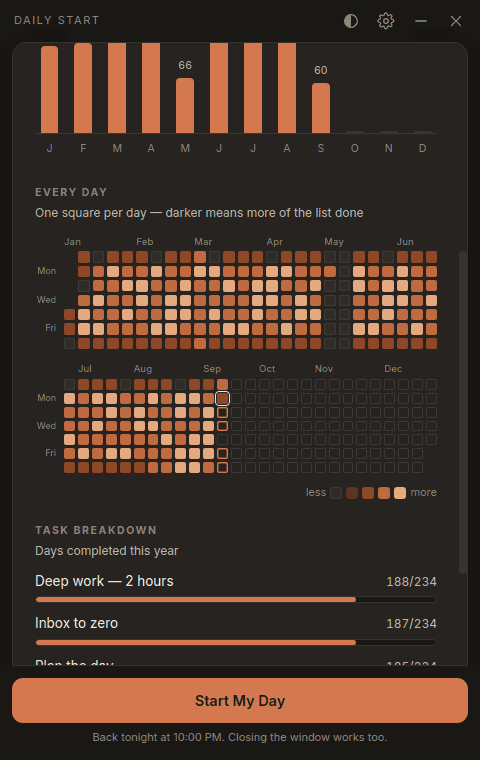
A contribution graph, but for your own life. One square per day, wrapped into two half-year bands so the whole year fits.
New in 1.0.3
Lay out the week on Sunday
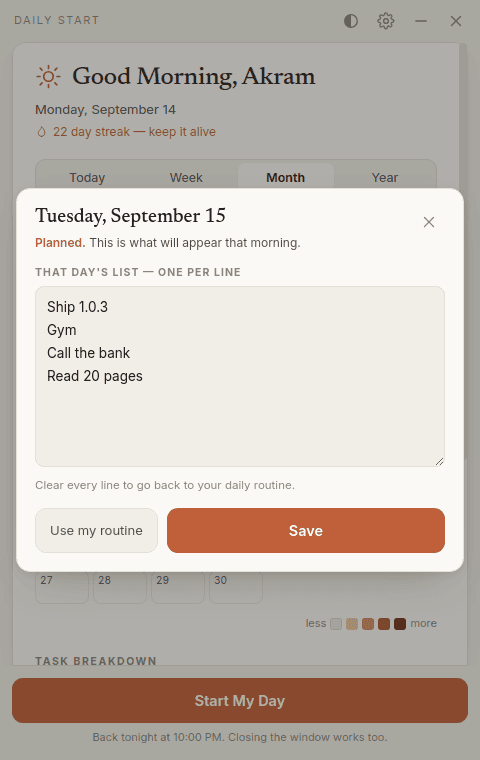
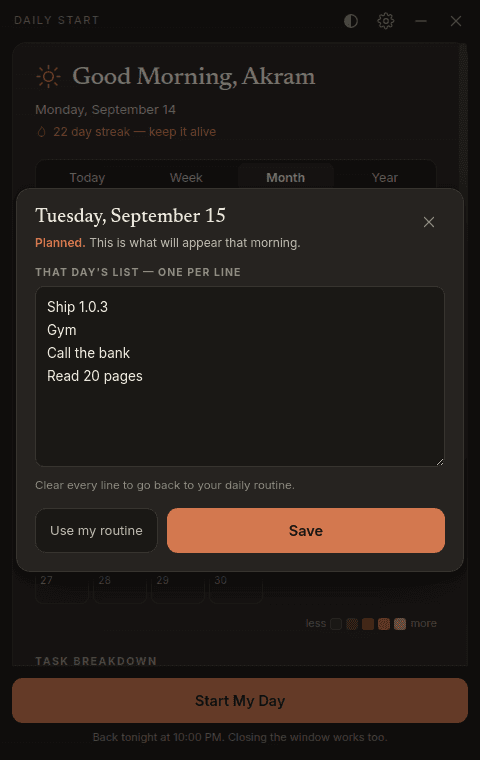
A routine is the same every day, and some days aren’t. Write a particular Tuesday’s list on the Sunday before, and that Tuesday morning it is what appears — no editing at 8 am, nothing to remember.
- Click any day, anywhere
- A bar in the week, a square in the month, a dot in the year — they all open the same small editor for that one date.
- Your routine is already in the box
- Open a day you haven't planned and today's routine is sitting there, so you edit the difference instead of typing the list again.
- Days you skip still work
- Leave a day alone and it falls back to your daily routine, exactly as before. Planning is something you can do, not something you have to keep up with.
Your data
It never leaves your computer
Not as a policy you have to trust — as a fact you can check. Everything you type lives in one file:
%APPDATA%\Daily Start\daily-start.json
- No account
- Install it and it works. There is nothing to sign up for, because there is no server to sign up to.
- No network calls
- Not analytics, not crash reports, not a version check. Unplug the internet and nothing changes.
- One file you can read
- Plain JSON on your own disk. Open it, edit it, back it up, sync it yourself, delete it.
- Nothing reaches me
- I have no access to your data, because your data never leaves your machine. There is nowhere for it to go.
The full privacy policy runs to about a page, and the source is the part that actually proves it.
Not built yet
Would you pay $19 for this, once?
Everything on this page stays free, for good. What I’m weighing up is a one-time Pro unlock — no subscription, no account, a licence key that works offline — for the heavier things:
- Lay out a whole month in one sitting, not a day at a time
- Which habits actually pull the others along, worked out on your own machine
- Your history somewhere you choose, in a format you can read
Nothing is for sale today and there is no waiting list to game. I am counting the people who press this, and that number decides whether any of it gets built.
$19one time, if it happens
Leave an address and you’ll be the first to know — and the first to be asked what should be in it.
Before you ask
Questions
- What if I open it myself during the day?
- It opens, every time. The once-a-day rule only governs the automatic appearance in the morning — clicking the tray icon or the Start-menu shortcut always shows the window.
- Does closing the window count as answering?
- Yes. Press the button or hit the close icon — either settles the day, and neither will bring it back. Minimising doesn't, so you can park it and come back to it.
- What happens if I restart the PC?
- Nothing. Once you've answered, the day is closed on disk. Restart as often as you like; it stays shut until tomorrow.
- Is it really free, or free for now?
- Free, and the source is Apache 2.0, so it cannot be taken away from you. If a paid tier ever appears it will be for new things, not for anything that works today.
- Where does my data live?
- In %APPDATA%\Daily Start\daily-start.json — one plain JSON file on your own disk. Uninstalling leaves it there; delete that folder and your data is gone for good.
- Mac or Linux?
- Not yet. It's an Electron app, so the port is mostly the installer and the startup handling rather than a rewrite — but it's Windows-only until enough people ask.
Something else? Ask on GitHub or email sayedakramsakib@gmail.com.
Tomorrow morning, it’ll be there once.
I built it in a day because every to-do app I tried was waiting for me to remember it. It’s free, it’s about five minutes to try, and it uninstalls like anything else if it isn’t for you.
v1.0.3 · free · open source · Windows will warn you, and here’s why.
Or hear when something changes
New versions and the occasional note about what people are doing with it. Roughly monthly, never more.